
Download Tabextensions – Firefox tab manager, customizable tabs, free tool
Overview – What Tabextensions Brings to Firefox
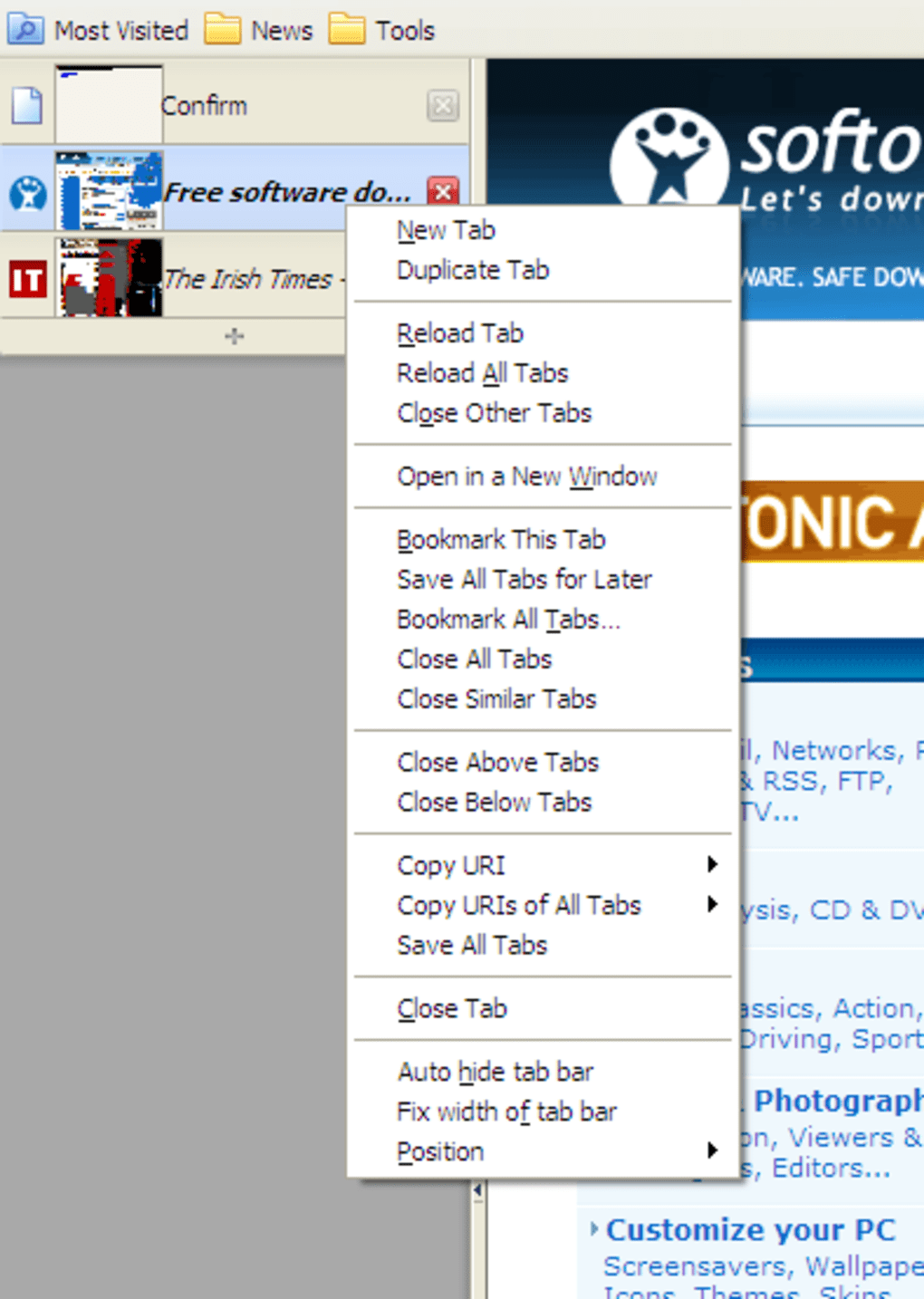
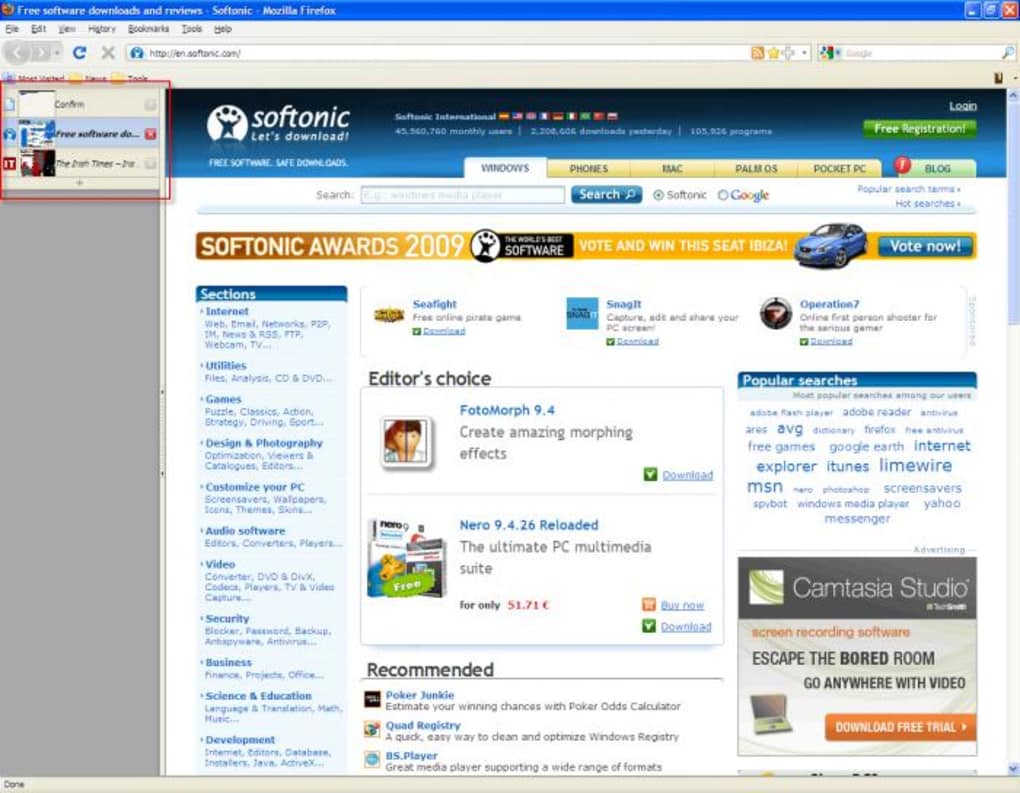
Tabextensions is a comprehensive suite of four tightly‑integrated Firefox add‑ons that completely re‑think how you work with tabs. Formerly known as TBE3 and Tabbrowser Extensions, the new branding reflects a major redesign that goes beyond a single plug‑in and delivers a modular toolbox: Informational Tab, Multiple Tab Handler, Source Viewer Tab, and Tree Style Tab. Each component can be enabled or disabled independently, giving power users the flexibility to pick only the features they need while keeping the overall interface lightweight. At its core, Tabextensions adds a high‑degree of configurability to the standard Firefox tab bar. You can move the tab strip to any edge of the screen, apply a variety of skins, and control tab‑behaviour with granular options such as “close all tabs to the left”, “copy URLs of selected tabs”, or “save a custom tab set for later”. These options are accessible through a right‑click context menu on the tab bar, which consolidates both everyday actions (reload, pin, mute) and advanced batch operations (move, duplicate, export). The suite is particularly attractive for developers, researchers, and anyone who routinely handles dozens of open pages. While the sheer number of settings can feel overwhelming at first, the interface is organized into clear panels, and every change is instantly reflected in the browser. In short, Tabextensions turns the default tab experience into a highly programmable workspace without sacrificing the stability or speed of Firefox itself.Deep Dive: Features, Installation & Compatibility
Key Features (itemprop="featureList")
- Informational Tab – Turns any tab into a live dashboard displaying page metadata, load time, and security status.
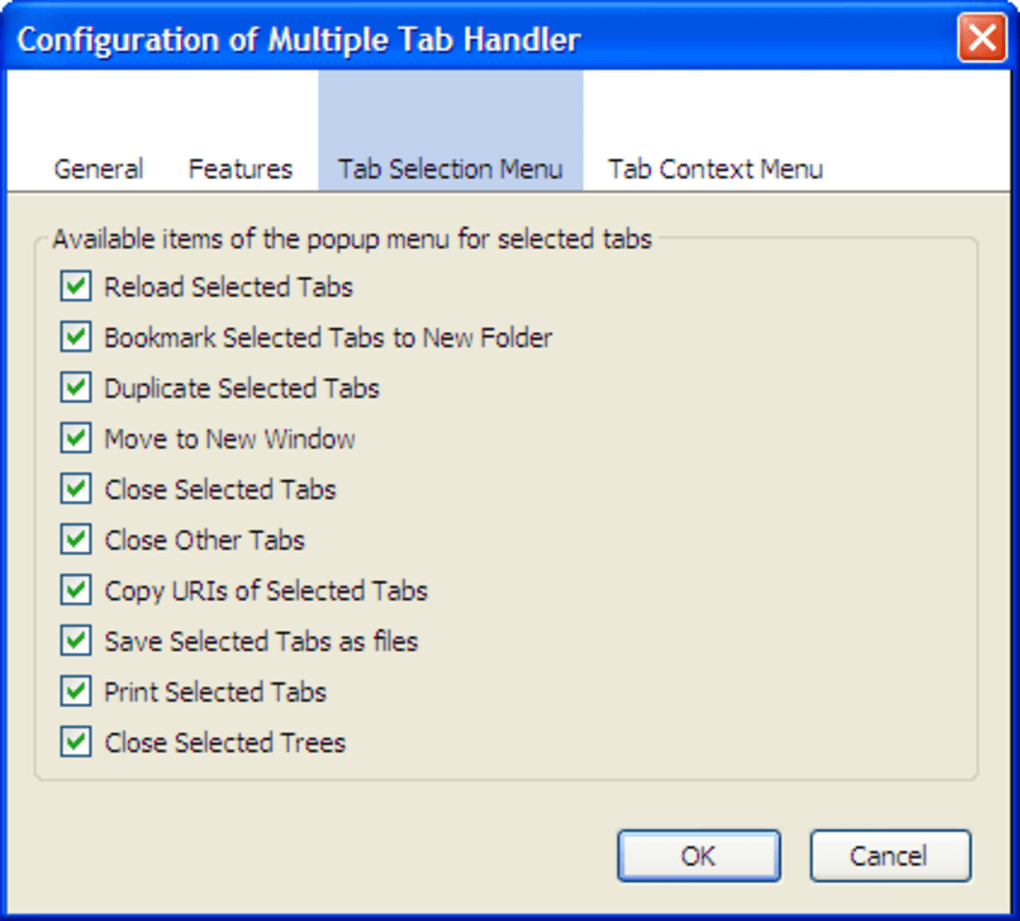
- Multiple Tab Handler – Batch‑manage tabs with actions like close, reload, mute, move, and duplicate across windows.
- Source Viewer Tab – Opens the HTML source of any page in a dedicated, syntax‑highlighted tab with search and line‑number support.
- Tree Style Tab – Visualizes tabs as a collapsible tree, perfect for hierarchical research or multi‑step workflows.
- Side‑Bar Positioning – Move the entire tab bar to the left, right, top, or bottom of the window.
- Custom Skins & Themes – Choose from built‑in skins or create your own CSS‑based appearance.
- Context‑Menu Shortcuts – Access advanced commands directly from a right‑click on the tab bar.
- Session Saving – Export selected tabs to a JSON file and reload them later with a single click.
- Keyboard‑Driven Controls – Full support for custom hotkeys to trigger any of the above actions.
- Privacy‑First Design – No telemetry, all data stays local, and the add‑on respects Firefox’s security model.
Installation & First‑Run Setup
Getting Tabextensions up and running is straightforward. Follow these steps for a smooth installation on any supported platform:
- Open Firefox and navigate to the official Tabextensions page on Mozilla Add‑Ons.
- Click the “Add to Firefox” button; a confirmation dialog will appear. Accept the permissions, which are limited to managing tabs and reading page source.
- After the download completes, Firefox will prompt you to restart the browser. Once restarted, a new “Tabextensions” icon appears in the toolbar.
- Click the icon to open the configuration dashboard. Here you can enable or disable the four individual modules, choose a skin, and set your preferred side‑bar location.
- For power users, the “Advanced Settings” tab provides JSON‑based export/import of your entire configuration, making it easy to sync settings across multiple machines.
All components are updated automatically through Firefox’s built‑in add‑on updater, ensuring you always have the latest security patches and feature enhancements.
Compatibility (itemprop="operatingSystem")
Tabextensions is built with the WebExtension API, which guarantees cross‑platform compatibility. The add‑on works on:
- Windows 10, 11 (64‑bit)
- macOS 12 Monterey and later
- Linux distributions with recent Firefox releases (≥ 115)
Because it relies solely on Firefox’s native extension framework, there are no extra runtime dependencies. The suite has been tested on both the ESR (Extended Support Release) and the standard Firefox release channels, delivering consistent performance regardless of the update cadence.
Pros, Cons & Frequently Asked Questions
Pros
- Unparalleled level of tab customization for power users.
- Modular design lets you enable only the features you need.
- Side‑bar positioning and tree view improve multitasking workflows.
- Free, open‑source, and regularly updated through Mozilla’s add‑on store.
- Zero telemetry – all data stays local, respecting user privacy.
Cons
- Steep learning curve for beginners due to the sheer number of options.
- Skin selection is limited; users seeking a polished visual theme may need custom CSS.
- Occasional performance dip when handling more than 200 open tabs.
- Some advanced batch actions are only accessible via the right‑click menu, which may be hidden on touch devices.
FAQ – Answers to Common Questions (FAQPage)
Is Tabextensions free or does it require a license?
Tabextensions is completely free. It is distributed through the official Mozilla Add‑Ons repository and does not require any purchase or subscription.
Can I use Tabextensions on Firefox for Android?
Currently, Tabextensions relies on desktop‑only WebExtension APIs (such as side‑bar placement) that are not supported on Firefox for Android. A mobile‑focused version may appear in future releases.
How does Tabextensions affect browser performance?
When only a few modules are enabled, the impact on CPU and memory is negligible. Enabling all four components and managing several hundred tabs can increase RAM usage modestly, but the trade‑off is the massive gain in workflow control.
Is there a way to back up my Tabextensions settings?
Yes. The “Advanced Settings” panel includes an “Export Configuration” button that saves your entire setup as a JSON file. You can later import this file on another machine to replicate the same environment.
Do the add‑ons collect any personal data?
No. Tabextensions respects Firefox’s privacy standards and does not send telemetry or usage data to external servers. All operations are performed locally within the browser.
Tabextensions delivers a level of tab control that most Firefox users only dream about. The modular approach lets power users sculpt their browsing environment to match complex workflows, while the free price tag and open‑source nature make it an attractive addition for anyone willing to invest a few minutes in learning the interface. The main drawback remains its abundance of options, which can overwhelm newcomers. Overall, it earns a solid 4.2 out of 5 for functionality, stability, and respect for user privacy.
Conclusion – Should You Download Tabextensions?
If you spend a large portion of your day juggling dozens of web pages, conducting research, or developing code, Tabextensions offers the most granular control of Firefox’s tab system available today. Its four‑module architecture lets you pick and choose the exact tools you need, while the right‑click context menu streamlines repetitive actions into a single click. For casual browsers, the learning curve may feel steep, but the free price and privacy‑first design mean there’s no downside to giving it a try. Download Tabextensions now, explore the configuration panels, and decide whether the extra power translates into a more productive browsing experience.
Ready to take full command of your tabs? Click here to download Tabextensions for free and start customizing your Firefox workflow today.







